Blogging can be an incredibly effective way to increase organic traffic to your site and generate leads. But getting started can feel overwhelming as you try to learn and navigate the different strategies for successful blogging. The good news is there are many useful blogging tools that make the process easier.
Maybe you’re new to blogging, or you’re looking for ways to grow your reach and efficiency. As a seasoned SEO writer and consultant who has worked with over 200 brands, I have tried all of the tools so you don’t have to.
Below, I’ll share my go-to blogging tools for 2026, both free and paid, that will actually make your life easier.
What are blogging tools?
Blogging tools are platforms you can use to improve your writing and optimize for SEO. They can also help you simplify other aspects of blogging, such as keyword selection, photo optimization, and performance tracking.
11 Best Tools for Blogging
Some of the best blogging tools include KeySearch, Grammarly, and Google Drive, but there are many more you can use to make blogging easier for you. Whether you’re writing for your own blog or for clients, these tools can help you improve your process and results.
Squarespace (paid)
Squarespace is the platform I used to build my website and is where my blog lives. While it is subscription-based, I have found it to be affordable, with starting rates at $19/mo. And it’s honestly worth every penny.
Their software is user-friendly with many customizable website templates to choose from, as well as a built-in SEO focus. If you’re looking to build a new website and blog, Squarespace is a great place to start.
Google Drive (free)
You can’t beat the ease of having everything in one place, and that’s what Google Drive has done for me. It allows me to have a folder for each client where I can organize contracts, questionnaires, content, and whatever else I may need. You can easily share documents and allow clients to provide feedback with a minimal learning curve.
If you already have a Google email account, it’s easy to use Google Drive without the need for an additional CMR platform.
KeySearch (paid)
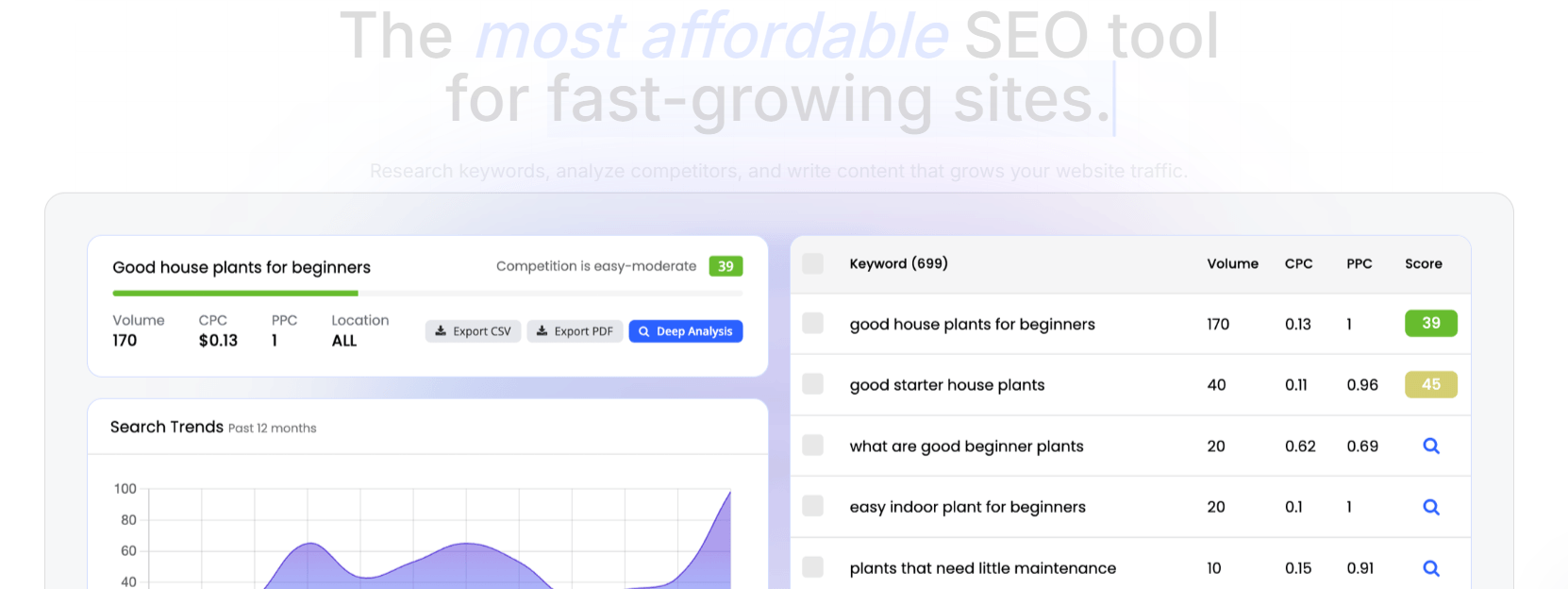
While KeySearch is a paid subscription, it’s much more affordable than most other keyword tools. KeySearch lets you find keywords to target for your blog articles, which is how your content gets found on Google and AI tools.
KeySearch is most commonly used for keyword research, giving you analytics on the search volume and competition of specific phrases. It also has other features that help you improve your overall SEO strategy, like competitor analysis, content assistant, and site auditing.
You can try KeySearch for seven days at no cost using my affiliate link. If you love it as much as I do and decide to subscribe, use code KSISC for 20% off.
Sharethrough Headline Analyzer (free)
It’s important to create a title that immediately grabs the reader’s attention and tells them they’re in the right place. This is where Sharethrough Headline Analyzer comes in. All you have to do is input your draft title, and it will provide a score and usable feedback to improve your headline for better engagement.
Capitalize My Title (free)
If you’re anything like me, you might forget which words should be capitalized vs lowercase in a title. Capitalize My Title takes the guesswork out of it for you. You can pick your preferred format, such as MLA, APA, etc., and it provides you with the correct capitalization.
Pexels (free)
According to a 2025 survey by Orbit Media, 20% of bloggers reported better blog performance when articles include relevant images. Visuals can also help you add more context and help the content resonate more with your readers.
Pexels offers a database of stock images free to use both commercially and non-commercially. With an easy-to-use search function, you can find images that will draw in your readers.
TinyPNG (free)
TinyPNG lets you compress image file sizes before you add them to your article. If your image files are too large, it can slow down your site, which negatively impacts SEO and the reader’s experience. All you need to do is upload your image, reduce the size, and download the compressed file before adding it to your article.
Grammarly (free & paid)
Grammarly is by far my most used blogging tool for editing. Just copy and paste your blog draft. Then, Grammarly will give you a score based on correctness, clarity, engagement, and delivery, with specific feedback you can apply or dismiss.
Keep in mind that while the tool is fairly accurate, it is important to double-check each suggestion is correct for your intent prior to applying. As with any tool, use your discretion on suggestions.
Grammarly can be used in the browser on your computer or as a plug-in to show changes directly on your document. Additionally, there are free and paid options available. The free tool includes grammar and clarity corrections, whereas the paid subscription also includes rewrites of full sentences, editing for tone, and plagiarism testing.
Google Search Console (free)
Google Search Console is a free blogging tool you can use to track how your blog is performing and identify areas for SEO improvement. This helps ensure you’re reaching your intended audience and driving traffic that will actually convert.
It allows you to see:
Queries - Phrases people search before your site shows up on Google
Website traffic - Overall Google impressions and clicks for your site and traffic for individual pages
Indexing issues - What might be preventing pages from showing up on Google
In my blogging course, I cover exactly how to use Google Search Console to help with your blogging strategy.
Flodesk (paid)
Flodesk helps you create aesthetically-pleasing emails, manage an email list, and track success through analytics. By using Flodesk for my email marketing, I’ve been able to grow my email list to over 3k subscribers over the last 4 years, helping me strengthen relationships with my audience and generate more business.
According to the Journal of Research in Interactive Marketing, when subscribers voluntarily opt in to your email list, they feel like an active participant and are more receptive to your message. Stanford Graduate School of Business also found that simply including someone’s name at the top of an email increased sales by 31%. Email marketing alongside blogging can be a really effective way to grow your business.
SEO Blogging Course (paid)
If you’re new to SEO blogging or find your current strategy isn’t getting the results you want, an SEO blogging course is a great place to start. A course that covers every step of blogging can help you get clear on what you need to do to see effective results.
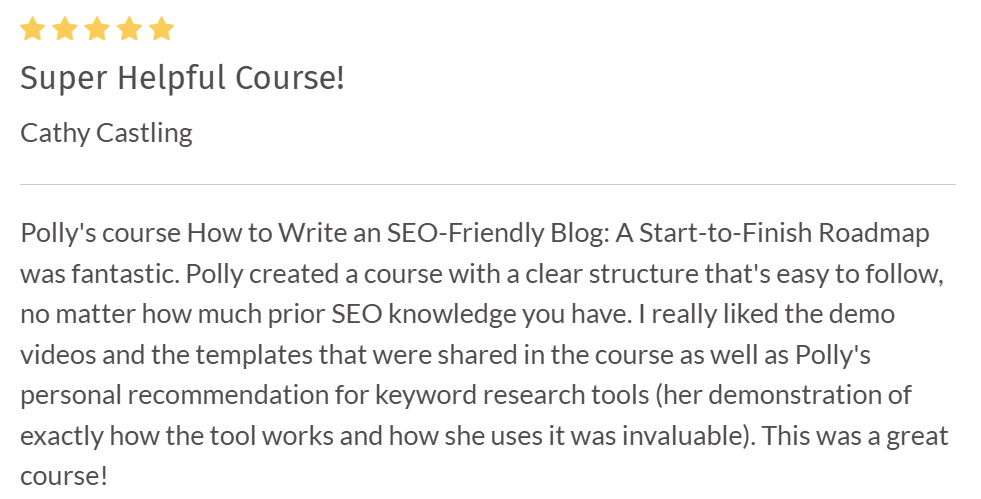
After years of blogging for my own business and for clients, I finally created my own course to teach others what I’ve learned. How to Write an SEO-Friendly Blog: A Start-to-Finish Roadmap covers everything you need to know about blogging. I share video lessons, real-life examples, and customizable templates to make successful blogging quicker and easier.
Blogging Tools: FAQs
Do I need paid tools to start blogging?
While you don’t need to break the bank to start blogging, there are some expenses necessary to get started. You’ll need to subscribe to a website platform, such as Squarespace, where your site will live. From there, you can start blogging for free and add in any paid tools you may need as you go.
What's the most important tool for a beginner blogger?
KeySearch is the most important blogging tool to ensure you’re optimizing for SEO and reaching your audience. You can use it to find keywords, which help search engines understand your article’s topic. KeySearch will help you choose the best keywords, with the right competition scores, for your target audience.
How much should I budget for blogging tools as a small business?
You usually don’t need to budget for more than $100 worth of blogging tools. However, this depends on your needs and what you find most helpful.
I write articles for my own website and for clients and spend just under $100 per month on Squarespace, KeySearch, and Flodesk subscriptions.
Can I blog without a website builder like Squarespace?
There are minimal free blogging platforms, like Substack, where you can publish your work with the option to monetize. However, if your goal for blogging is to increase website traffic and generate business, you’ll need to have an independent website through a platform like Squarespace.
Blogging Tools: Next Steps
Successful blogging may feel overwhelming, but there are so many tools that make it easier to write effective articles. I recommend starting with your website platform, a keyword research tool, and a blogging course. From there, you can try out new tools as you go.
To learn more about each of these tools and how to use them to reach your blogging goals, check out my SEO blogging course.